how it works
Three roles.
One window.
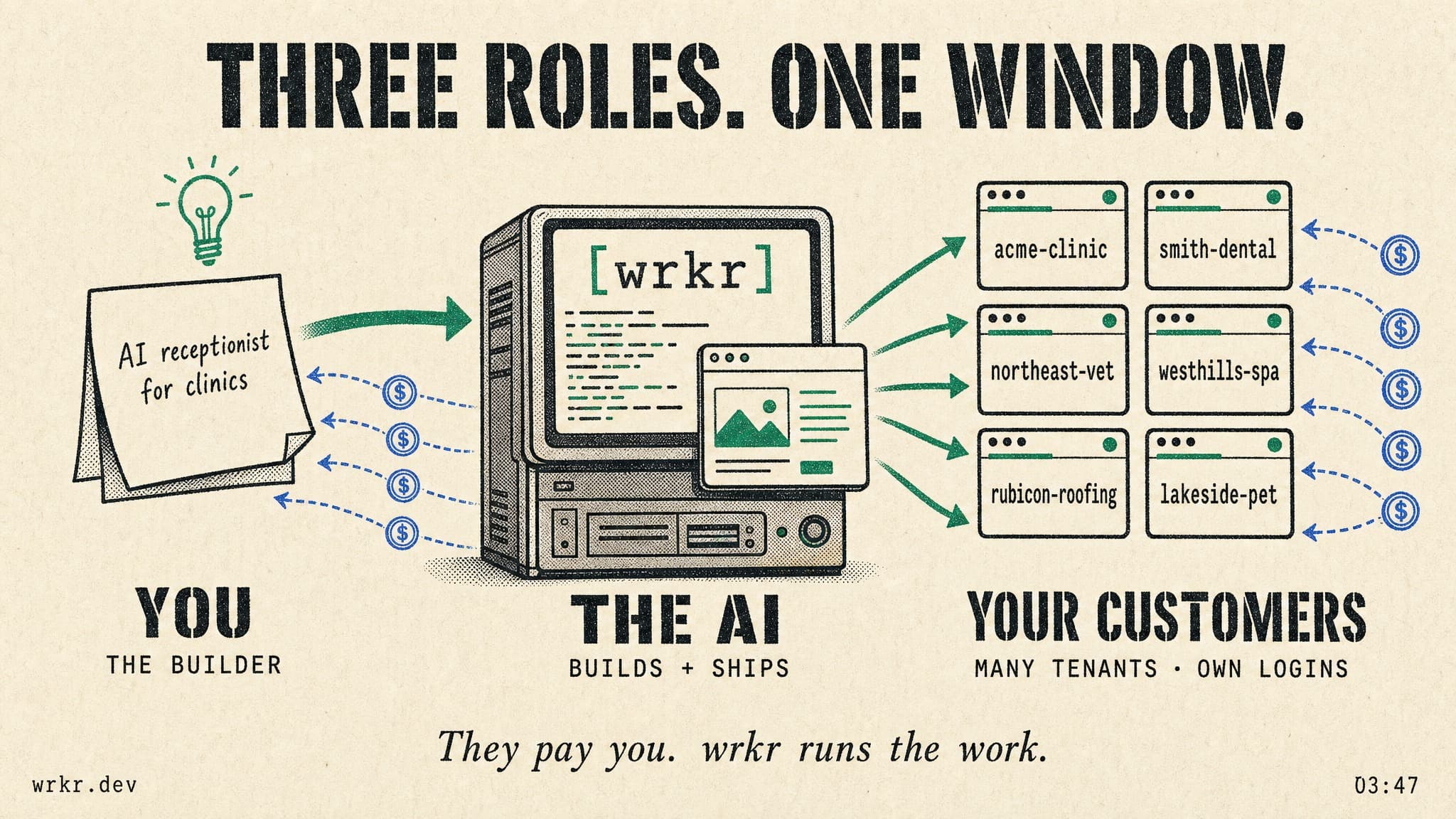
You
The AI
Your customers
You stay non-technical. The AI does the engineering. Your customers use a real SaaS, paying in USDC.
the hidden cost
It isn’t the LLM.
It’s the glue.
one bill.
one console.
the agent writes the workflow as code. cron, websockets, queues — all native.
The LLM bill you would pay anyone. The orchestration tax wrkr deletes.
the orchestration
wrkr is the substrate.
The agent wires the rest.
wrkr gives you a real Linux machine — a dedicated Firecracker microVM, the same KVM-based isolation tech that runs AWS Lambda and Fargate. Multi-unit deploy, multi-tenant routing, persistent state, slug-routed public URLs. The AI inside writes your integrations — auth, payments, email, billing, the lot. Bring your preferred providers, or use wrkr's built-in rails. The AI picks up either way.
The agent integrates whichever you pick. wrkr doesn't lock you to a stack — it runs the substrate and writes the glue.
the moat
AI codes on real Linux.
Comment on the preview.
Watch the agent drive Chrome.
Five capabilities the substrate makes possible — every one a native primitive, every one earning its keep.
AI codes on real Linux.
Drop a prompt — OpenCode runs inside a hosted Linux VM with a real terminal, an ext4 disk that persists, and the package manager you actually need. The agent reads, plans, edits, runs builds. Every project keeps its own folder, its own ports, its own state.
Comment on the live preview.
Click any element on the served app. Type 'make this bigger' or 'change to emerald'. The agent edits source. The preview rebuilds — in seconds, on your hosted machine.
Watch the agent drive Chrome.
VM Chrome with a persistent profile per tenant. Logged-in sessions survive workspace reopens. The agent navigates, fills forms, scrapes — and one click hands the keyboard to you for 2FA, OTPs, captchas. Hand back when you're done.
Multi-tenant in one declared release.
One operator. Many crypto-native subdomains. Declare the release once — wrkr deploys per-tenant, each on its own custom domain. pumpwatch.io, whalealert.app, clankerscreener.xyz — all live, all isolated, all USDC-settled.
Web · worker · cron in one ship.
Real Linux on a dedicated Firecracker microVM — sub-second resume, real isolation, the same tech AWS Lambda runs on. Declare web + private worker + scheduled cron + storage as one multi-unit release group. wrkr supervises every unit, projects the public URL, keeps the private workers VM-local.